---
title: "Cypress Component Testing Integration Framework Definition API"
url: "https://www.cypress.io/blog/cypress-component-framework-definition-api"
description: "Get a first-class experience for Component Testing that detects your library and framework. Reduce configuration complexities & start testing swiftly. Learn…"
---
# Cypress Component Testing Integration Framework Definition API
March 1, 2023
By The Cypress Team
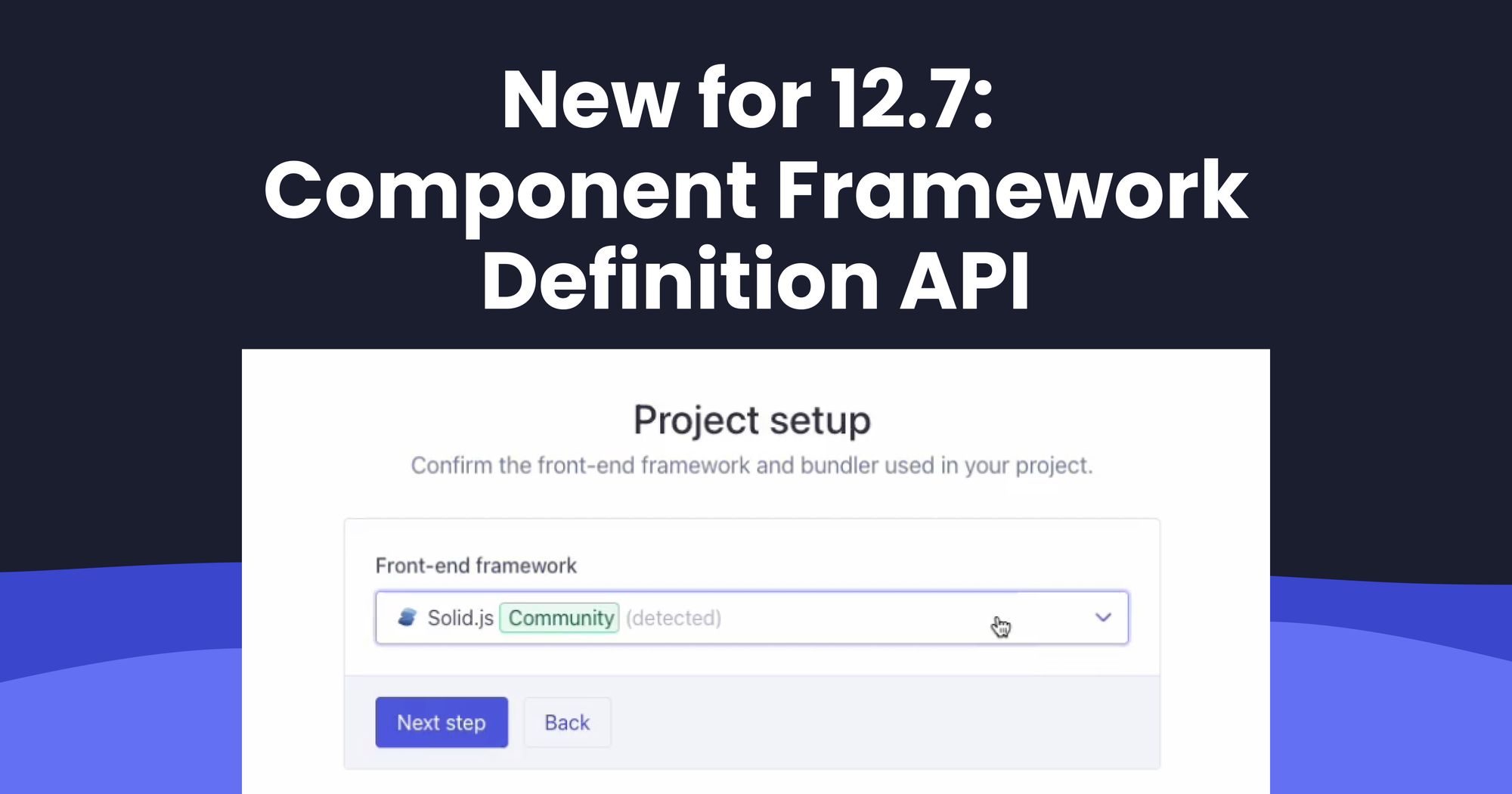
Cypress prides itself on providing a first-class experience for [Component Testing](https://www.cypress.io/blog/2023/06/06/component-testing-for-engineering-leadership/?ref=cypress-io.ghost.io). Part of this experience is our onboarding process that automatically detects the library and framework used in a project, and scaffolds the relevant files and configuration.
Starting with Cypress 12.7, we are exposing our internal API for the community to leverage and integrate directly into Cypress. This reduces the configuration burden, allowing developers to start testing their components more quickly and easily.
We refer to these APIs as _[Component Framework Definitions](https://docs.cypress.io/guides/component-testing/third-party-definitions?ref=cypress.io)_, which are typically <100 lines of code!
# Component Integration Testing with Cypress
There are several APIs that Cypress uses to ensure a smooth onboarding experience when configuring and writing component tests.
Typically, once configured, `cypress.config` looks something like this for component testing:
```Javascript
import { defineConfig } from 'cypress'
export default defineConfig({
component: {
devServer: {
framework: 'react',
bundler: 'webpack',
},
},
})
```
And a typical test looks like:
```Javascript
import React from 'react'
import { mount } from 'cypress/react'
import { App } from './App'
it('renders hello world', () => {
mount()
cy.get('h1').contains('Hello World')
})
```
When building a Framework Definition, you need to provide the following:
1. Requirements: which packages and versions are required?
2. Mount Adapter: tell Cypress how to render your library’s components
# Framework Definition
The [documentation](https://docs.cypress.io/guides/component-testing/third-party-definitions?ref=cypress-io.ghost.io) has a detailed description. However, in short, a framework definition can be created with `defineComponentFramework`:
```Javascript
export default defineComponentFramework({
type: "cypress-ct-solid-js",
name: "Solid.js",
supportedBundlers: ["vite"],
detectors: [],
dependencies: () => {
return {
type: "solid-js",
name: "Solid",
package: "solid-js",
installer: "solid-js",
description: "A declarative, efficient, and flexible JavaScript library for building user interfaces.",
minVersion: "^1.6.11",
}
}
})
```
This contains all the information Cypress needs to detect and configure Component Testing with [Solid.js](http://solidjs.com/?ref=cypress-io.ghost.io).
# Mounting Adapter
The final requirement is a Mounting Adapter. A sample one for Solid.js [can be found here](https://github.com/lmiller1990/cypress-ct-solid-js/blob/719e15021f1a6dd6a167b50b801efe89728b6345/index.tsx?ref=cypress-io.ghost.io). It’s only a handful of lines of code:
```Javascript
import { getContainerEl, setupHooks } from "@cypress/mount-utils";
import { render } from "solid-js/web";
let dispose: () => void;
function cleanup() {
dispose?.();
}
interface MountingOptions {
log?: boolean;
}
export function mount(
component: Parameters[0],
options: MountingOptions = {}
) {
// rendering/mounting function.
const root = getContainerEl();
// Render component with your library's relevant
dispose = render(component, root);
return cy.wait(0, { log: false }).then(() => {
if (options.log !== false) {
Cypress.log({
name: "mount",
message: "Mounted component",
});
}
});
}
setupHooks(cleanup);
```
# Demo of Supported Frameworks
Now Solid.js users can enjoy the same polished onboarding experience as our officially supported frameworks:
# What’s Next?
These APIs are available in Cypress 12.7. There’s still more to come – while developers can easily integrate for libraries and common bundlers, there is still more support required to integrate more complex platforms, such as Nuxt, SvelteKit and Qwik. In a future update to Cypress, the Framework Definition API will be extended for more advanced use cases. Follow our progress on [this GitHub issue](https://github.com/cypress-io/cypress/issues/25881?ref=cypress-io.ghost.io).
# Conclusion
Cypress’s new Component Framework Definition API makes Cypress more extensible as a platform, enabling third parties to provide a more deeply integrated, seamless, and polished experience for component testing and development.
See a full example Framework Definition [here](https://github.com/lmiller1990/cypress-ct-solid-js?ref=cypress-io.ghost.io), or check the [documentation](https://docs.cypress.io/guides/component-testing/third-party-definitions?ref=cypress-io.ghost.io) to see how to start writing one for your favorite library and add your own! If you need any help (or just want to say hi!), chat with us in our `cypress-frameworks` [Discord](https://discord.gg/cMjUZg7?ref=cypress-io.ghost.io) forum or submit an issue on our [Github](https://github.com/cypress-io?ref=cypress-io.ghost.io).
Explore a comprehensive [Framework Definition example](https://github.com/lmiller1990/cypress-ct-solid-js?ref=cypress.io), or refer to our [documentation](https://docs.cypress.io/guides/component-testing/third-party-definitions?ref=cypress.io) to learn how to create one for your preferred library and customize it. If you require assistance (or simply want to connect), join our cypress-frameworks [Discord forum](https://discord.gg/cMjUZg7?ref=cypress.io) or submit an issue on our [Github](https://github.com/cypress-io?ref=cypress.io) repository. Looking to reduce configuration complexities and start component integration testing swiftly? [Upgrade to Cypress Cloud today](https://www.cypress.io/pricing/?ref=cypress-io.ghost.io).